Pilote
Foot care software
Care home visits, treatment records and recalls, without the paperwork
TradeYoke for foot health practitioners and mobile or clinic foot care practices: book a whole care home in one go, record each resident's treatment with before and after photos, bring people back when they are due, and invoice the home once.
Pilot · Open for pilot businesses · Web app today, apps in pilot · 30-day free trial, no card

- Web Ouvrir maintenantBêta
 Bientôt disponible
 Bientôt disponible
 Bientôt disponible
Made for foot care
What's different for a foot care practice
Care homes and residents
A care home with its residents linked to it. Book the whole home in one go, one tap per resident, each with their own service and price.
Visits anywhere
A visit at your clinic, at their home or on site at a facility, for one person or several, in the foot care colour on the diary and the schedule.
Treatment records
Treatment given, what you saw, advice and see-again weeks. Opened as a draft when the visit is marked done, signed off, and reopened if you need to correct it.
Before and after photos
Taken with the phone camera or chosen from a file, kept with the record and filed on the person's documents.
Recall
A list of who is due, a Due for recall tile on the dashboard, and each service's recall interval so the next visit is a tap away.
Regular services
Repeat a visit every few weeks, on the same weekday, with every date checked for clashes before you save.
Online booking
Clients pick a real free time on your own website, and a care home can book for its residents from its account page.
One invoice for the home
One invoice for the facility with a section for each resident, or one per resident, or one to the operator, with a statement of visits.
Staff records and allocation
Registration, indemnity insurance, DBS and training records with expiry reminders, and visits given to the right person.
A day in the round
From the front door to one invoice for the home
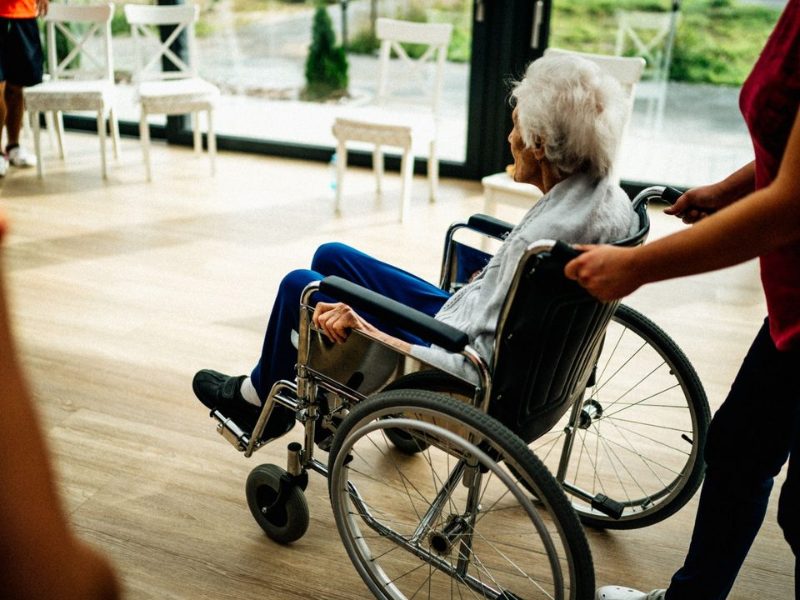
Before the visit
The home is already booked
Westcliff Lodge and its six residents are in the system. Book the visit once and every resident gets their own service and price.
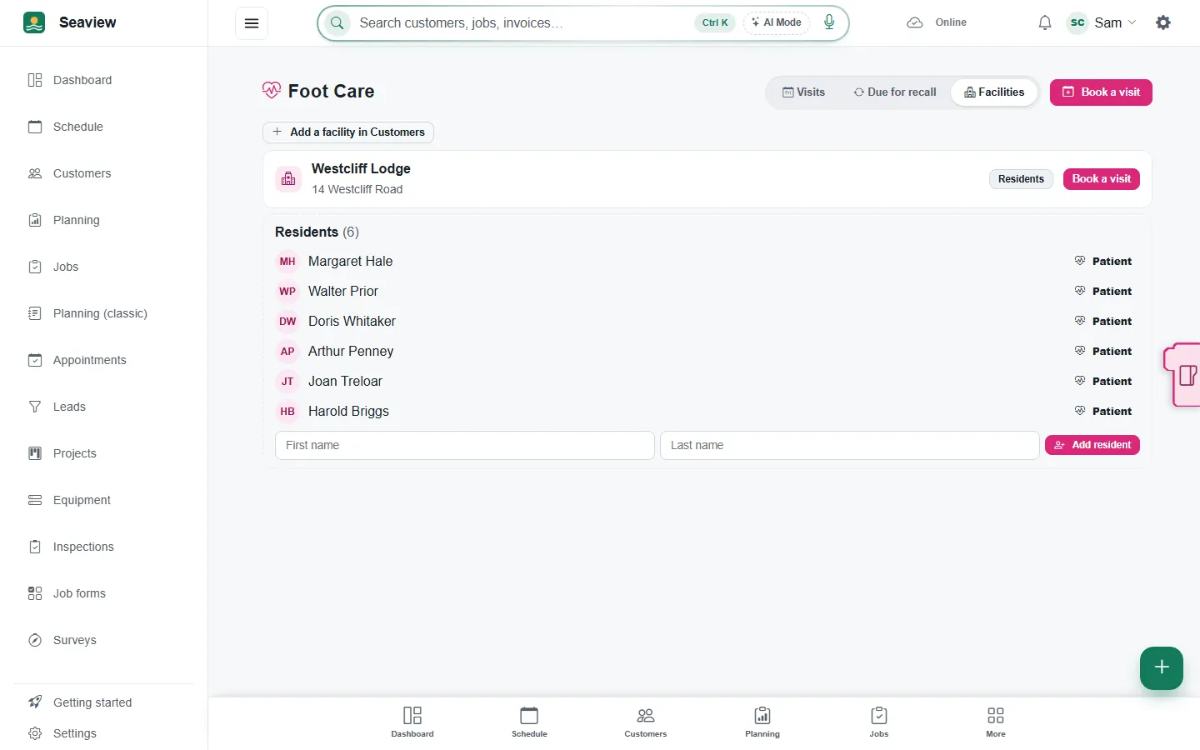
A care home and its residents, one tap to book 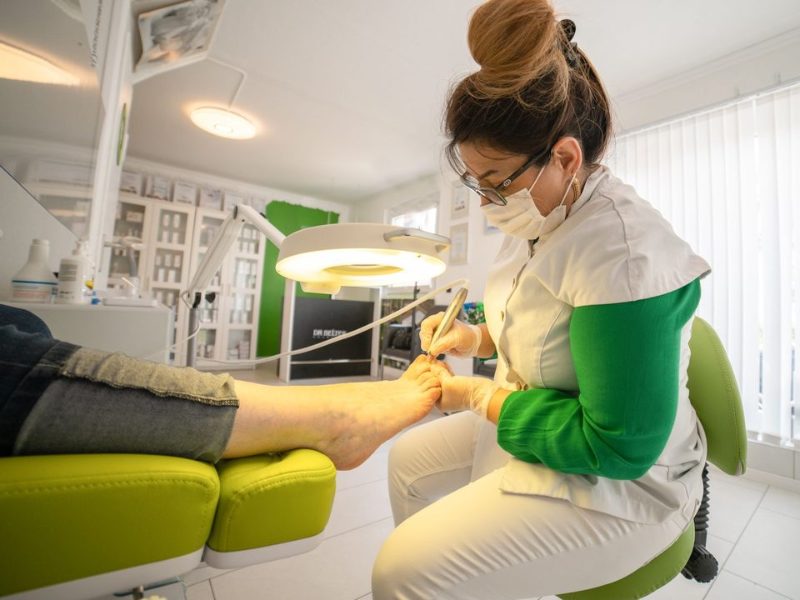
In the room
Notes and photos as you go
Record what you did and saw, the advice you gave and when to come back, with before and after photos, signed off in your name.
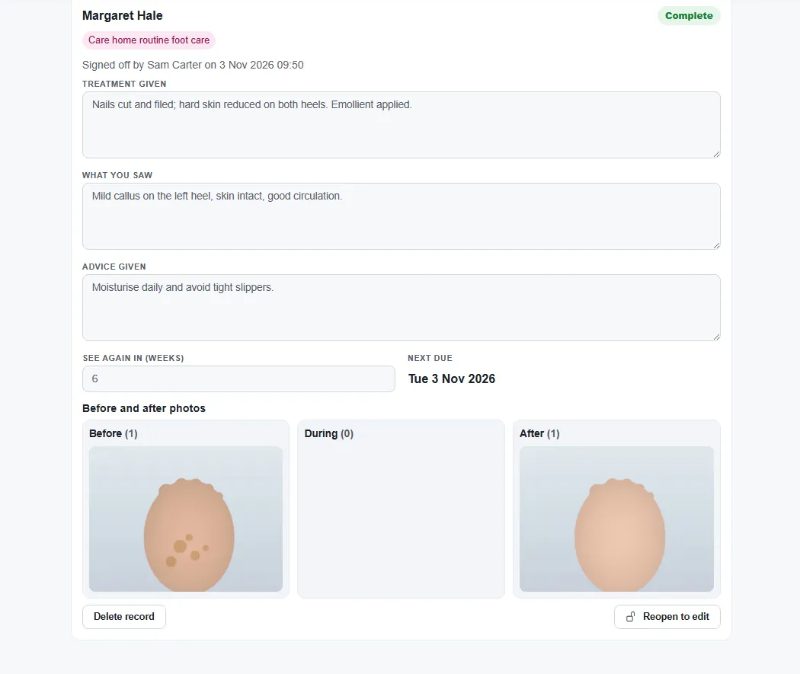
The treatment record, with before and after photos 
After the visit
One invoice for the home
At the end of the week, preview the invoice run and raise one invoice for the home with a section for each resident.
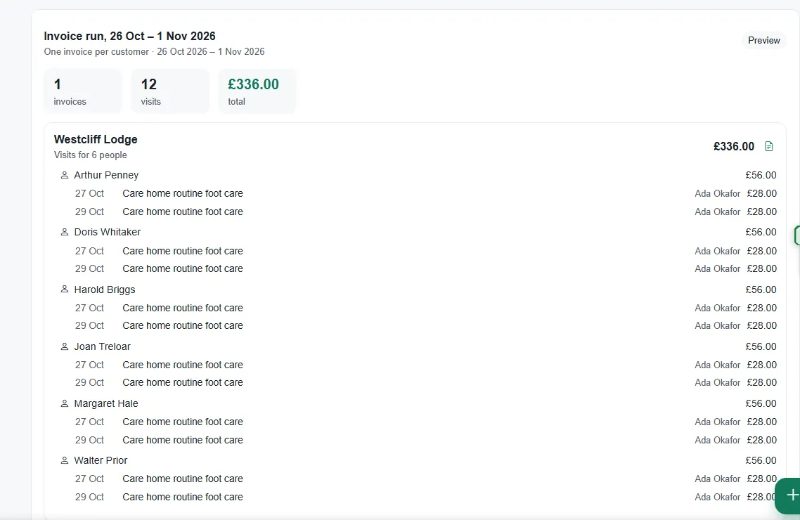
The week's visits, grouped by home and resident


Booking
A care home in one booking
Pick the home and tick the residents. Each resident gets their own service, such as routine foot care or a diabetic foot check, with its length and price, and the engine offers free times for the practitioner you choose. A double booking of a person or a room is refused when it is saved.

Records
A treatment record for every resident
Write what you did and saw, the advice you gave and when to see them again. Add before, during and after photos from the phone camera. Sign it off, and reopen it if something needs correcting. Every record sits on the person's History tab with the first and last visit, visits in twelve months, no-shows, what is next due and what has been collected.

Invoicing
Last week's visits, one invoice
An invoice run groups the visits by home, resident and visit, with a total for each, and raises nothing until you have seen the preview. Then it raises one invoice per home, one per resident or one to the payer, and sends a statement of visits with it. How invoice runs work.

Care home page
The home sees its own residents' visits
Where you use the customer portal and your website, a care home can open its account page to see who is booked when and the recent visits, and book more for its residents. No clinical notes are shown there. The customer portal.
Getting started
Three steps to your first care home round
-
Add your homes and clients
A care home is a customer, and its residents are linked to it from the Facilities tab. Add a home, then its residents, one at a time.
-
Choose your services
Start from the nine suggested foot care services with recall intervals, and set your hours and who does what.
-
Book the first visit
Pick the home, tick the residents and take a free time. Record the visit and raise the invoice when it is done.
D'autres écrans, tels qu'ils se présentent aujourd'hui


The details
Also worth knowing
- Web app today, apps in pilotFoot Care runs in the web app. The Android, iPhone and Windows apps are in pilot and are not yet checked on devices for this module.
- Notes and photos, not medical historyTradeYoke keeps treatment records, notes and photos. Structured medical history, consent capture and a records-retention policy are not in the product yet.
- Retail at the counterSell a balm or a pair of separators beside the visit, with the stock to match. <a href="/features/retail-checkout-and-stock">Retail checkout & stock</a>.
- Open for pilot businessesFoot Care is a pilot trade, open for pilot businesses: email hello@tradeyoke.com to ask to join. Pilot trades are priced with the pilot businesses.
Questions
Asked by foot care practices
Can I book a whole care home's residents in one visit?
Yes. In TradeYoke you book one visit for the care home and tick the residents being seen. Each resident gets their own service and price, and the practitioner and a free time are chosen once. Residents are the people linked to the home, added from its Facilities tab.
Do you keep treatment notes and before and after photos?
Yes. Each person seen has a treatment record: treatment given, what you saw, advice, see-again weeks and next due. Before, during and after photos are added from the phone camera or a file and kept with the record and on the person's documents. The record is signed off and can be reopened to edit.
How does recall work?
Each service can carry a recall interval in weeks. TradeYoke lists who is due, shows a Due for recall tile on the dashboard, and offers to make a visit regular so the next ones are booked ahead. Online booking never creates a regular service; those are set up by you.
Can I send one invoice to the care home for all its residents?
Yes. An invoice run raises one invoice per facility with a section for each resident, or one per resident, or one to the payer, after a preview. A statement of visits goes with each invoice. See the invoice runs page for the detail.
Can the care home see its residents' visits and book more?
Yes, where you use the customer portal and your own website. The care home's account page shows who is booked when and the recent visits, with no clinical notes, and the home can book for its residents if you allow it. The website and the customer portal are part of the Ultimate plan.
Does TradeYoke hold medical history and consent forms?
Not yet. It keeps treatment records, notes and photos. Structured medical history, consent capture and records retention are not in the product today.
Is there an app for my phone?
The web app works in the browser on a phone today. The Android and iPhone apps are in pilot, and Foot Care has not yet been checked on those devices, so use the web app for now.
What does it cost to try?
Thirty days of Essentials free, no card. Foot Care is a pilot trade. Pilot trades are priced with the pilot businesses. See the pricing page for the plans.
Is Foot Care available now?
Foot Care is in pilot and open for pilot businesses. It was built recently and is not yet in use by a pilot business, so join the pilot and help shape it: email hello@tradeyoke.com. It runs in the web app; the phone apps are in pilot.
Beyond the job
Win the work, plan the day, get paid
The same tools every TradeYoke trade gets, shaped for yours.
Try it on your own care home round
30 days of Essentials free, no card. Add a care home, tick its residents and book the first visit.